
Introduction
Television has changed dramatically over the past decade. Many households across the United States are replacing expensive cable and satellite subscriptions with internet-based streaming solutions that offer greater flexibility and a wider selection of content.
One technology that has become increasingly popular is Internet Protocol Television (IPTV). Instead of relying on traditional broadcast methods, IPTV delivers television content over an internet connection. This allows users to watch live TV channels, movies, TV series, sports events, documentaries, and on-demand entertainment from a wide variety of devices.
With dozens of IPTV providers available today, selecting the right service can be challenging. Features, streaming quality, pricing, customer support, and device compatibility all vary between providers. A service that works well for one household may not be the best choice for another.
This guide explains what IPTV is, how it works, the benefits it offers, the features to evaluate before subscribing, and practical tips for choosing a service that matches your needs.
Note: IPTV technology itself is legal. However, the availability and legality of specific content depend on whether a provider has the appropriate licensing rights. Always verify that a service complies with the laws and licensing requirements in your country or region.
Quick Comparison Table
Feature What to Look For
Streaming Quality HD, Full HD, and 4K support
Live TV Wide range of local and international channels
Video on Demand Large library of movies and TV shows
Device Compatibility Smart TVs, Fire TV, Android, iOS, Windows, Mac
Electronic Program Guide (EPG) Easy channel navigation
Customer Support Responsive technical assistance
Trial Option Short trial period before purchasing
Multi-Device Support Ability to use multiple compatible devices
Streaming Stability Reliable playback with minimal interruptions
Updates Regular content and feature improvements
What Is IPTV?
IPTVstands for Internet Protocol Television. Rather than transmitting television signals through satellite dishes or cable lines, IPTV streams content over the internet.
This allows viewers to enjoy television programming on compatible internet-connected devices whenever they choose.
Unlike traditional television services, IPTV often combines several types of content into a single platform, including:
- Live television channels
- Movies
- TV series
- Sports programming
- News channels
- Children's entertainment
- Educational content
- Music channels
- International programming
Depending on the service, users may also have access to features such as catch-up TV, cloud recording, electronic program guides, and personalized recommendations.
How Does IPTV Work?
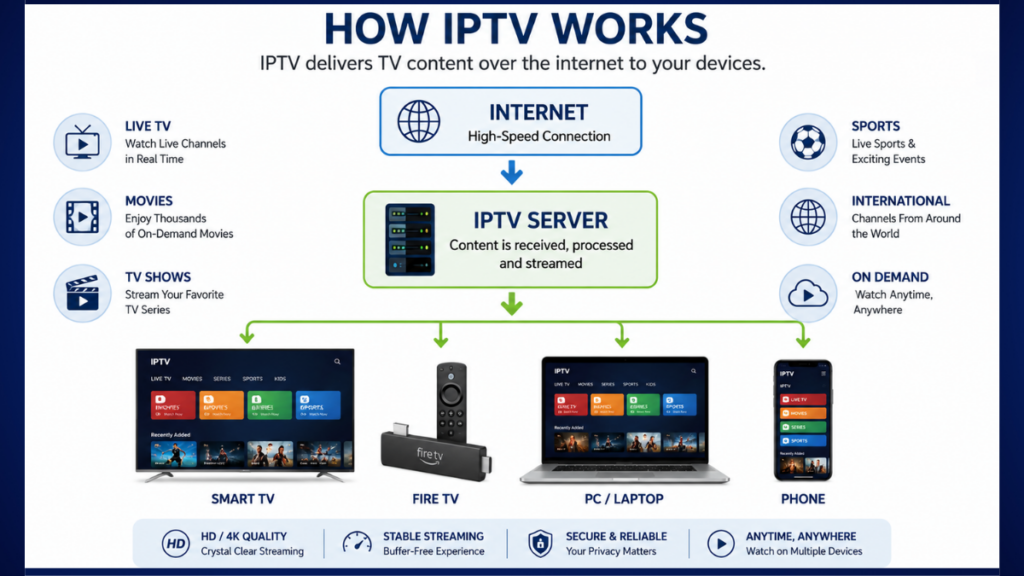
IPTV uses internet data networks to deliver video content directly to your device.
A simplified process looks like this:
- Television content is received from broadcasters or content providers.
- The content is converted into digital streaming formats.
- The IPTV provider distributes the streams through internet servers.
- Users access the streams using an IPTV-compatible application or device.
- The video is played in real time over the internet.
Because IPTV relies on internet connectivity, overall performance depends on factors such as:
- Internet speed
- Network stability
- Device performance
- Home Wi-Fi quality
- Server capacity of the IPTV provider
Why IPTV Has Become Popular in the USA
Several factors have contributed to IPTV's growing popularity among viewers in the United States.
- Flexible Viewing
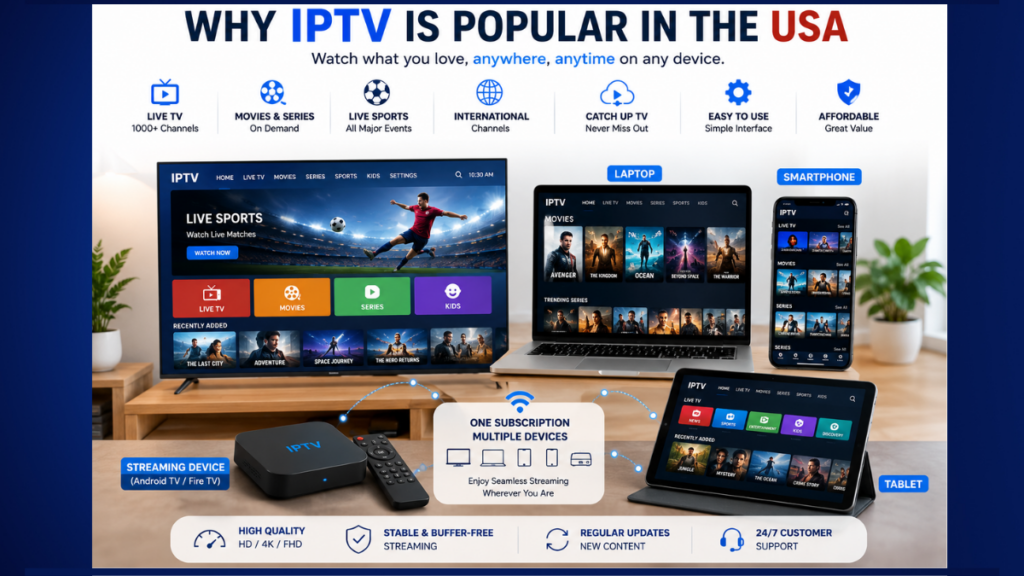
Instead of watching only what is currently airing, many IPTV services allow users to access live TV, on-demand content, and catch-up features from one interface.
- Compatible with Multiple Devices
Many IPTV services support:
- Android TV
- Google TV
- Fire TV
- Smart TVs
- Windows PCs
- Mac computers
- Android smartphones
- iPhones
- Tablets
- Streaming boxes
This flexibility allows users to enjoy entertainment at home or while traveling.
- Large Content Libraries
Many services combine live television with extensive libraries of movies and television series, reducing the need to switch between multiple entertainment platforms.
- Easy Installation
Most IPTV services require only:
- An internet connection
- A compatible device
- An IPTV application
- Subscription credentials (where applicable)
No satellite installation or additional hardware is required for many setups.
- Wide Range of Content
Depending on the provider, viewers may access:
- Entertainment
- Sports
- Business news
- Children's programming
- International channels
- Lifestyle content
- Educational programming
- Documentary channels
- Frequent Content Updates
Many providers update their channel lists, movie libraries, and TV series catalogs regularly to keep content fresh and relevant.
Key Features to Look for Before Choosing an IPTV Service
Not all IPTV services offer the same experience. Before subscribing, consider these important factors.
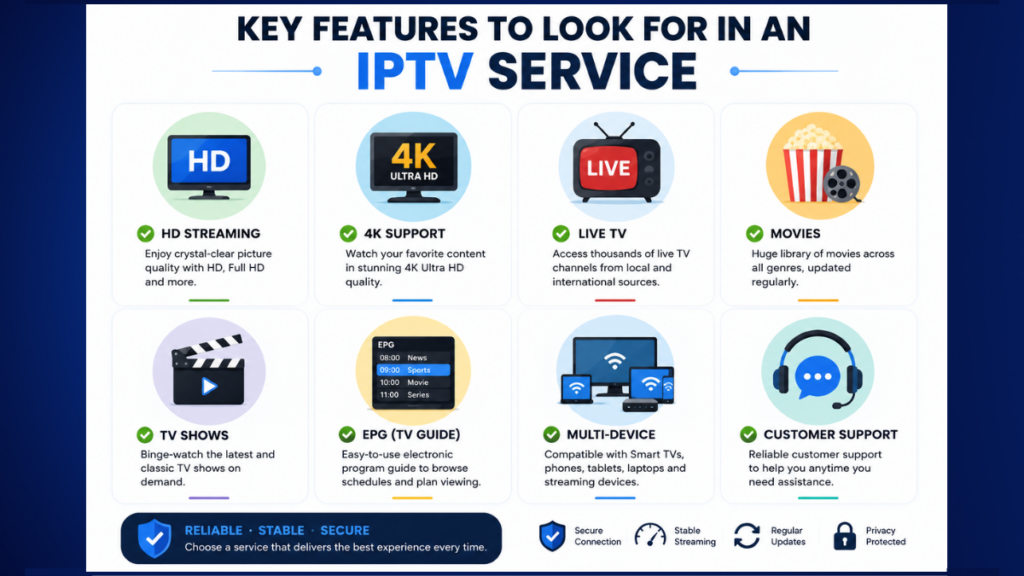
High Streaming Quality
Streaming quality significantly affects the viewing experience.
Look for services that support:
- HD
- Full HD
- 4K (where available)
- Adaptive streaming that adjusts to your internet speed
A provider should offer smooth playback without frequent buffering when used with a stable internet connection.
Reliable Server Performance
A dependable IPTV service should maintain consistent uptime, especially during periods of high demand such as major sporting events or popular television broadcasts.
Reliable infrastructure helps reduce interruptions and improves the overall experience.
Device Compatibility
Before subscribing, confirm that the service works with your preferred devices.
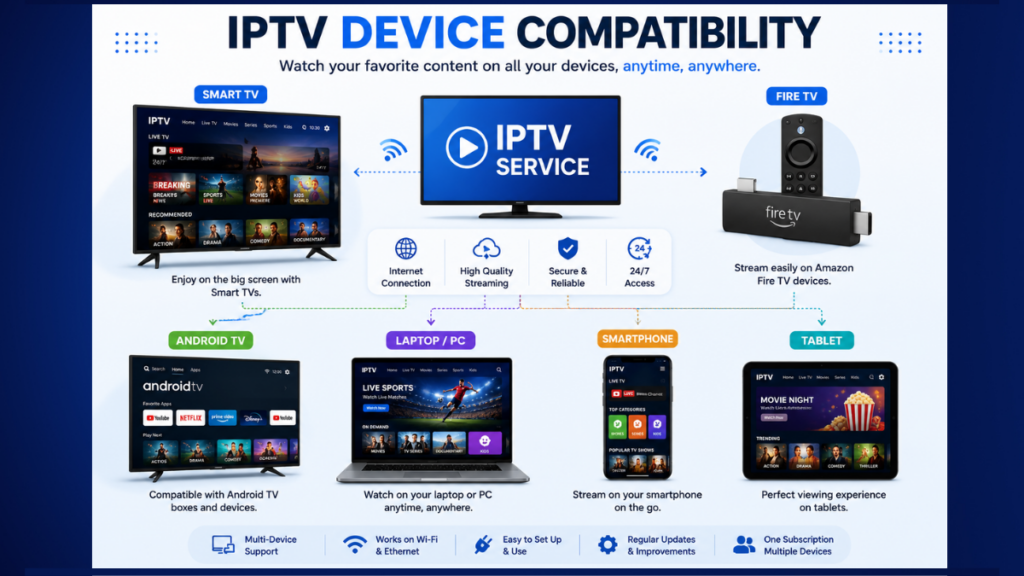
Common supported platforms include:
- Fire TV
- Android TV
- Smart TVs
- Windows
- macOS
- Android
- iOS
- Streaming boxes
The more compatible a service is, the easier it will be to watch content across different devices.
User-Friendly Interface
A clean and organized interface makes it easier to:
- Browse channels
- Search content
- Access favorites
- Navigate categories
- Discover new shows
An intuitive design saves time and improves usability for all family members.
Electronic Program Guide (EPG)
An EPG displays television schedules in advance, making it easier to plan viewing.
Useful features include:
- Current programs
- Upcoming broadcasts
- Program descriptions
- Channel navigation
Video-on-Demand Library
Many viewers enjoy having access to movies and TV series alongside live television.
When evaluating a provider, consider:
- Library size
- Content categories
- Search functionality
- Update frequency
- Organization
Multi-Device Support
Households often use several devices.
Some services allow viewing on more than one compatible device, making them suitable for families.
Always review the provider's terms regarding simultaneous streaming.
Customer Support
Good customer support can be valuable when users need assistance with:
- Setup
- Device compatibility
- Account access
- Streaming issues
- Technical troubleshooting
Look for providers that offer clear support channels and timely responses.
Trial Availability
Whenever possible, take advantage of a trial period to evaluate:
- Streaming quality
- Interface
- Content organization
- Device compatibility
- Overall user experience
Testing a service before committing to a subscription can help you determine whether it meets your expectations.
Internet Speed Recommendations
Your internet connection plays a major role in streaming performance.
General recommendations are:
Streaming Quality Suggested Internet Speed
SD 5 Mbps
HD 10 Mbps
Full HD 20 Mbps
4K 35 Mbps or higher
These figures are general guidelines. Actual performance may vary depending on your network, the number of connected devices, and the provider's infrastructure.
Common IPTV Applications
Many IPTV services are designed to work with popular media players and IPTV applications. Depending on your provider and device, you may encounter apps such as:
- IPTV Smarters
- TiviMate
- VLC Media Player
- Perfect Player
- GSE Smart IPTV
- OTT Navigator
Always download applications from trusted sources and follow the provider's setup instructions.
Best IPTV USA 2026: The Complete Buyer's Guide (Part 2)
How to Compare IPTV Services
With many IPTV providers available, it can be difficult to determine which one best suits your needs. Rather than focusing only on the number of channels or the subscription price, compare providers based on the overall viewing experience, reliability, and transparency.
Below are the most important factors to consider before choosing an IPTV service.
- Content Selection
The first thing most users look at is the available content.
Ask yourself:
- Does the service offer local channels?
- Are there international channels available?
- Does it include sports programming?
- Are movies and TV series regularly updated?
- Does it provide educational and children's content?
A well-rounded IPTV service should offer diverse content categories rather than focusing on only one type of entertainment.
- Streaming Quality
Video quality greatly influences your viewing experience.
A quality IPTV provider should support:
- SD
- HD
- Full HD (1080p)
- 4K Ultra HD (where available)
Many services also use adaptive bitrate streaming, which automatically adjusts video quality based on your internet speed to reduce interruptions.
- Reliability and Stability
A stable service is often more valuable than one advertising thousands of channels.
When evaluating a provider, consider:
- Consistent playback
- Reliable uptime
- Minimal buffering
- Fast channel loading
- Stable performance during peak viewing hours
Reading recent user reviews from reputable sources can provide insight into real-world reliability.
- User Experience
A well-designed interface makes it easier to:
- Browse channels
- Search content
- Organize favorites
- Access settings
- Navigate categories
A clean and intuitive interface improves usability for viewers of all ages.
- Customer Support
Technical issues can occasionally occur with any online service.
Look for providers that offer:
- Email support
- Live chat
- Ticket systems
- Setup guides
- Frequently Asked Questions (FAQs)
Responsive customer support can save time if you need help with installation or troubleshooting.
- Trial Availability
Whenever possible, test a service before purchasing a long-term subscription.
A trial allows you to evaluate:
- Video quality
- Channel organization
- Device compatibility
- Streaming stability
- Ease of use
This hands-on experience can help you make a more informed decision.
What Makes a High-Quality IPTV Provider?
Not every IPTV provider delivers the same level of service. While features vary, several characteristics are commonly associated with high-quality providers.
Extensive Content Library
A quality IPTV service typically offers a broad selection of:
- Live television
- Movies
- TV series
- News
- Sports
- Children's programming
- Documentaries
- Lifestyle content
A diverse catalog gives viewers more options and flexibility.
Reliable Performance
Reliable providers invest in infrastructure that supports smooth streaming.
Signs of dependable performance include:
- Fast channel loading
- Stable playback
- Consistent uptime
- Good picture quality
- Responsive servers
Cross-Platform Support
A modern IPTV service should work across multiple devices without requiring separate accounts for each one (subject to the provider's terms).
Common supported platforms include:
- Android TV
- Google TV
- Amazon Fire TV
- Smart TVs
- Windows PCs
- macOS
- Android smartphones
- iPhones and iPads
- Tablets
Regular Updates
Entertainment libraries evolve constantly.
High-quality providers often update:
- Channel lists
- On-demand content
- App compatibility
- Security features
- User interface improvements
Easy Navigation
A simple interface helps users quickly find:
- Favorite channels
- Recently watched content
- New releases
- Genre categories
- Search results
Ease of navigation contributes significantly to the overall user experience.
Security and Privacy
Choose providers that clearly explain:
- Account management
- Privacy policies
- Payment methods
- Terms of service
Being transparent about these areas helps users make informed decisions.
IPTV Pricing Models Explained
Pricing varies widely depending on the provider, features, and subscription duration. Understanding common pricing models can help you compare options more effectively.
Monthly Plans
Monthly subscriptions are ideal for users who prefer flexibility.
Advantages
- Lower upfront cost
- Easy to cancel
- Opportunity to try a service before committing long-term
Considerations
- Higher cost over time compared to longer plans
Quarterly Plans
Three-month subscriptions often provide moderate savings compared to monthly billing.
Suitable for:
- Seasonal users
- Those testing a provider over a longer period
Semi-Annual Plans Six-month subscriptions usually reduce the monthly cost while avoiding a full-year commitment.
Annual Plans
Annual subscriptions often offer the best value per month.
Before purchasing a yearly plan:
- Test the service first, if possible.
- Review the provider's refund policy.
- Ensure the service meets your viewing needs.
Multi-Connection Plans
Some providers offer plans that support streaming on multiple compatible devices, making them suitable for households with several viewers.
Always check the provider's terms regarding simultaneous streams.
Trial Options
Many services provide short trial periods so users can evaluate:
- Interface
- Streaming quality
- Device compatibility
- Content organization
A trial can help determine whether a service is a good fit before purchasing a longer subscription.
Device Compatibility
One of IPTV's greatest strengths is its flexibility across a wide range of internet-connected devices.
Smart TVs
Many modern Smart TVs support IPTV applications directly, reducing the need for additional hardware.
Popular platforms include:
- Android TV
- Google TV
- Samsung Smart TVs
- LG Smart TVs
Streaming Devices
Streaming devices are a popular choice because they are affordable and easy to set up.
Examples include:
- Amazon Fire TV devices
- Android TV boxes
- Google TV streaming devices
- Other compatible streaming hardware
Computers
Many IPTV services support desktop viewing through compatible applications or web-based interfaces on:
- Windows
- macOS
This makes it convenient for users who prefer watching on a larger monitor.
Smartphones and Tablets
Mobile compatibility allows viewers to enjoy content while traveling.
Commonly supported platforms include:
- Android
- iPhone
- iPad
IPTV Player Applications
Many services work with third-party IPTV player applications, allowing users to organize playlists and customize their viewing experience.
Popular examples include:
- IPTV Smarters
- TiviMate
- VLC Media Player
- Perfect Player
- OTT Navigator
Always use software from trusted sources and follow the provider's instructions.
IPTV Installation Guide
Installing IPTV is generally straightforward. The exact process depends on your chosen provider and device.
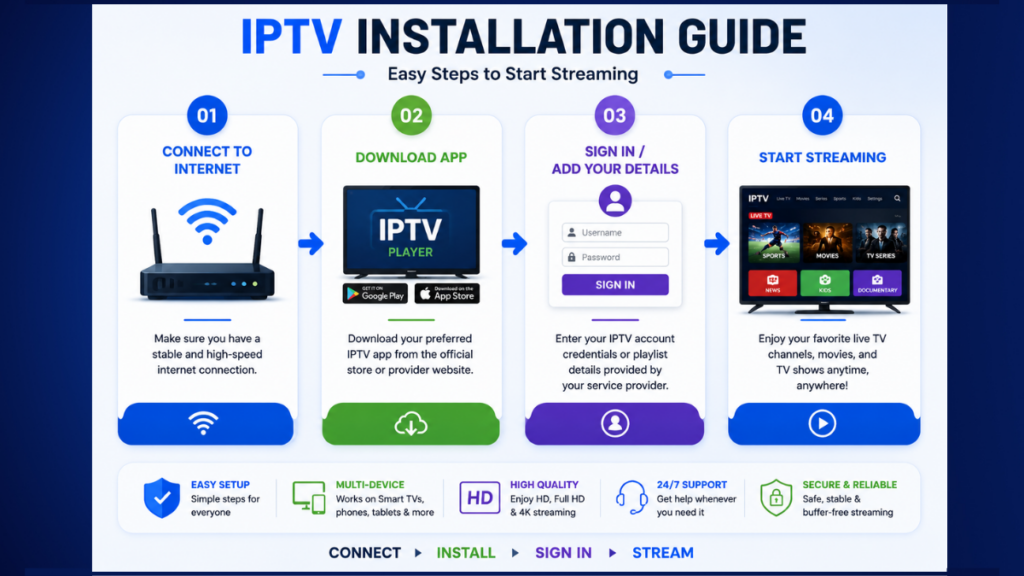
Step 1: Check Your Internet Connection
Ensure your internet connection is stable and fast enough for streaming.
Recommended speeds:
- SD: 5 Mbps
- HD: 10 Mbps
- Full HD: 20 Mbps
- 4K: 35 Mbps or higher
Step 2: Prepare a Compatible Device
Confirm that your Smart TV, streaming device, computer, or mobile device supports the IPTV application recommended by your provider.
Step 3: Install a Compatible IPTV Application
Download an IPTV player or the provider's official application from a trusted app store or the provider's official website.
Step 4: Enter Your Account Information
If your provider supplies login credentials or playlist information, enter them according to the setup instructions.
Step 5: Configure Preferences
After setup, you can typically:
- Organize favorite channels
- Adjust playback settings
- Configure subtitles (if available)
- Set parental controls
- Customize the interface
Step 6: Test Streaming Quality
Play several channels or on-demand videos to verify:
- Video quality
- Audio synchronization
- Channel loading speed
- Internet stability
Advantages of IPTV IPTV
IPTV has become popular for several reasons.
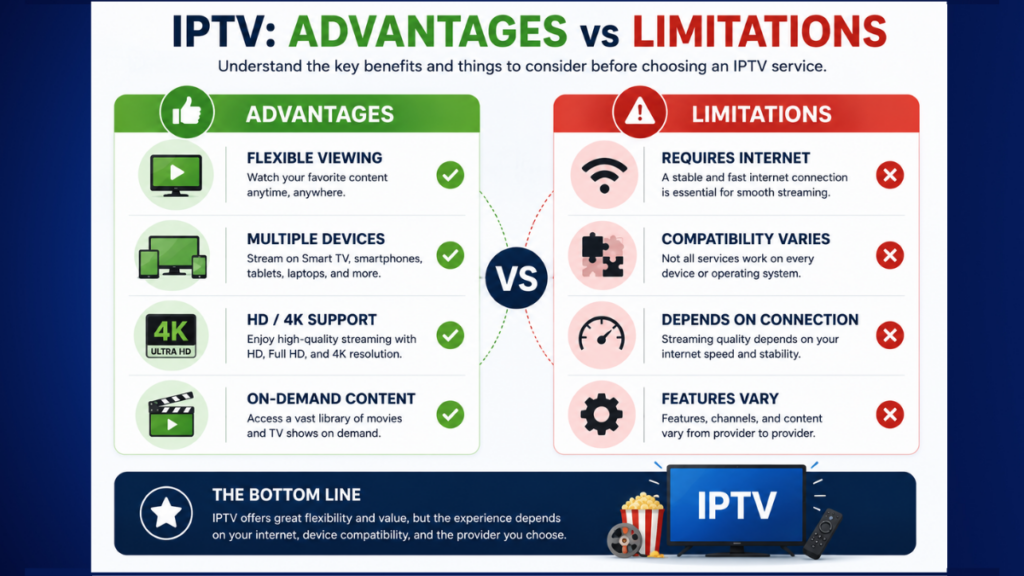
Flexible Viewing
Watch content on multiple compatible devices from virtually anywhere with a suitable internet connection.
Large Content Selection
Many services combine live television with on-demand entertainment in one place.
Convenient Navigation
Features such as search, favorites, and electronic program guides simplify content discovery.
Easy Installation
Most services require only:
- Internet access
- A compatible device
- An IPTV application
- Valid account credentials (where applicable)
High-Quality Streaming
Depending on the provider and your internet connection, IPTV can support HD, Full HD, and 4K video quality.
Limitations of IPTV
Although IPTV offers many benefits, it also has limitations.
Internet Dependence
A stable internet connection is essential. Slow or unreliable networks may result in interruptions or reduced video quality.
Device Compatibility Differences
Not every IPTV application supports every device equally. Check compatibility before subscribing.
Service Availability
Features, channels, and content libraries vary between providers and may change over time.
Licensing Considerations
Availability of channels and programs depends on the provider's licensing agreements and local laws. Always ensure you are using services that comply with the applicable regulations in your country.
Common Mistakes to Avoid When Choosing an IPTV Service
Selecting an IPTV provider without careful research can lead to disappointment. Avoid these common mistakes:
Choosing Based Only on Price
The cheapest option is not always the best. Consider reliability, support, and overall quality alongside cost.
Ignoring Device Compatibility
Verify that the service works with your preferred devices before subscribing.
Overlooking Trial Periods
If a trial is available, use it to evaluate the service before making a longer commitment.
Focusing Only on Channel Count
A large number of channels is less important than consistent streaming quality and a well-organized content library.
Not Checking Customer Support
Reliable support can make a significant difference if you encounter setup or technical issues.
Forgetting to Review Policies
Read the provider's terms, refund policy, and privacy policy so you understand how the service operates.
Key Takeaways
Choosing an IPTV service involves more than comparing prices or channel numbers. Consider the quality of the streaming experience, compatibility with your devices, customer support, available features, and the provider's transparency. Taking time to evaluate these factors can help you select a service that aligns with your viewing preferences and provides a more satisfying long-term experience.
Best IPTV USA 2026: The Complete Buyer's Guide (Part 3 – Final)
IPTV Buyer's Checklist
Before choosing an IPTV service, take a few minutes to evaluate the following points. A careful comparison can help you avoid common problems and select a service that fits your needs.
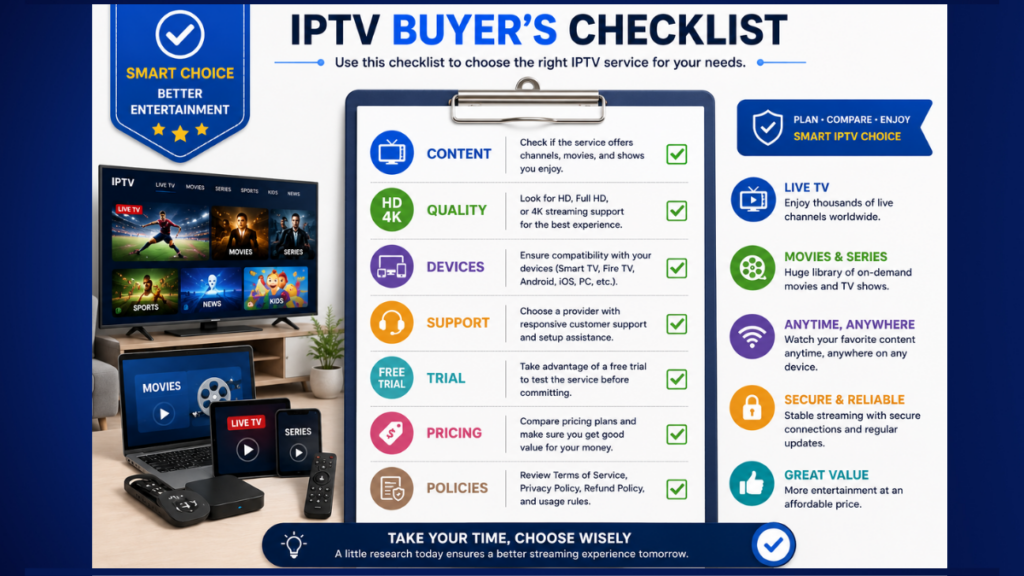
✔ Content Selection
Choose a service that offers the types of content you actually watch, such as:
- Local TV channels
- News
- Sports
- Movies
- TV series
- Kids' programming
- Documentaries
- International channels
✔ Video Quality
Look for support for:
- HD
- Full HD (1080p)
- 4K (if available)
Remember that higher resolutions also require a faster and more stable internet connection.
✔ Device Compatibility
Make sure the service supports your preferred devices, such as:
- Smart TVs
- Android TV
- Google TV
- Amazon Fire TV
- Windows PCs
- macOS
- Android phones
- iPhones
- Tablets
✔ User Experience
A good IPTV platform should include:
- Easy navigation
- Fast search
- Favorites list
- Electronic Program Guide (EPG)
- Organized content categories
✔ Customer Support
Choose providers that offer clear support channels, such as:
- Live chat
- Help center
- Setup guides
- Frequently Asked Questions (FAQs)
✔ Trial Availability
If possible, test the service before purchasing a long-term plan. A trial lets you evaluate streaming quality, ease of use, and compatibility with your devices.
✔ Transparent Policies
Before subscribing, review the provider's:
- Terms of Service
- Privacy Policy
- Refund Policy
- Supported devices
- Payment methods
Tips for Better IPTV Streaming Performance
Even a high-quality IPTV service can be affected by network conditions. These tips can help improve your viewing experience:
- Use a reliable broadband connection.
- Connect via Ethernet when possible for greater stability.
- Keep your streaming device and apps updated.
- Restart your router occasionally to refresh the connection.
- Close unnecessary apps that may consume bandwidth.
- Position your Wi-Fi router in an open location to improve signal strength.
- Avoid heavy downloads or uploads while streaming if your internet bandwidth is limited.
Common IPTV Terms Explained
If you're new to IPTV, you'll likely come across these terms:
IPTV (Internet Protocol Television): Television delivered over the internet instead of traditional cable or satellite.
VOD (Video on Demand): A library of movies and TV shows that you can watch whenever you choose.
EPG (Electronic Program Guide): A digital TV guide showing current and upcoming programs.
HD / Full HD / 4K: Different video resolutions that affect picture quality.
Streaming: Watching video content over an internet connection without downloading the entire file first.
Buffering: Temporary pauses during playback, often caused by a slow or unstable internet connection.
Frequently Asked Questions (FAQ)
- What is IPTV?
IPTV (Internet Protocol Television) is a method of delivering television content over an internet connection rather than through traditional cable or satellite systems.
- Do I need a fast internet connection?
Yes. The required speed depends on the video quality you want to watch. HD and 4K content generally require faster, more stable internet connections than standard-definition video.
- Can IPTV be used on multiple devices?
Many IPTV services support multiple compatible devices, although the number of simultaneous streams depends on the provider's subscription terms.
- Can I watch IPTV while traveling?
If your provider supports it and you have a suitable internet connection, many IPTV services can be accessed from different locations. Availability may vary based on the provider's policies and regional restrictions.
- Is IPTV legal?
The underlying IPTV technology is legal. However, the legality of a particular service depends on whether it has the appropriate rights to distribute the content it offers. Always choose providers that operate in compliance with applicable laws and licensing requirements.
Final Thoughts
IPTV has transformed the way many people access television by offering greater flexibility, device compatibility, and a wide range of entertainment over the internet. Whether you're interested in live TV, movies, sports, news, or educational programming, there are many services available to suit different viewing preferences.
When comparing IPTV providers, focus on factors such as content selection, streaming quality, device compatibility, ease of use, customer support, and transparent business practices. Taking the time to evaluate these elements can help you choose a service that delivers a reliable and enjoyable viewing experience.
Remember that technology and content offerings change over time. It's a good idea to review the latest features, policies, and compatibility information before subscribing to any service.
Conclusion
The best IPTV service is not necessarily the one with the most channels or the lowest price. Instead, it's the one that provides the best balance of quality, reliability, compatibility, and value for your individual needs.
By understanding how IPTV works, knowing what features to look for, and comparing providers carefully, you can make a more informed decision and enjoy a smoother streaming experience.
Most importantly, always choose services that respect copyright and licensing laws in your region. Doing so helps ensure a safer, more reliable, and more sustainable entertainment experience.

![Smartiflix vs. Zyminex, Xtreme HD, Apollo Group, Falcon & King IPTV [Tested & Ranked]](https://smartiflix.com/wp-content/uploads/2026/03/Smartiflix-vs.-Zyminex-Xtreme-HD-Apollo-Group-Falcon-King-IPTV-Tested-Ranked-300x164.png)