
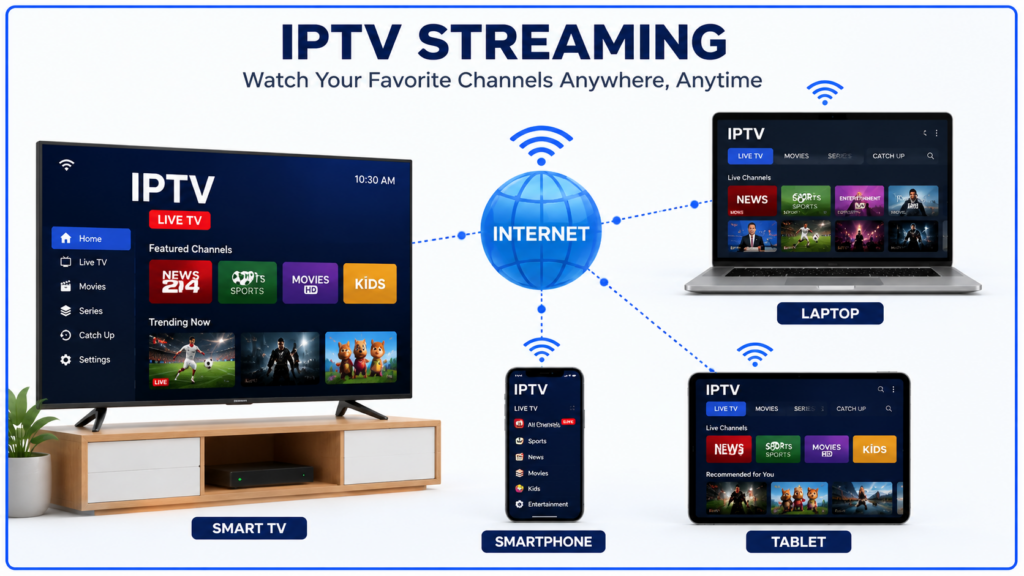
In today's digital world, Internet Protocol Television (IPTV) has become one of the most popular ways to watch live TV channels, movies, sports, and on-demand content over the internet. However, even the best IPTV service can perform poorly if your internet connection isn't fast or stable enough.
Many people assume that buffering, freezing, or poor video quality is always caused by the IPTV provider. In reality, internet speed, network stability, and Wi-Fi quality often play a much bigger role.
In this guide, you'll learn exactly how much internet speed you need for IPTV, what factors affect streaming quality, and how to optimize your connection for a smooth viewing experience.
What Is IPTV?
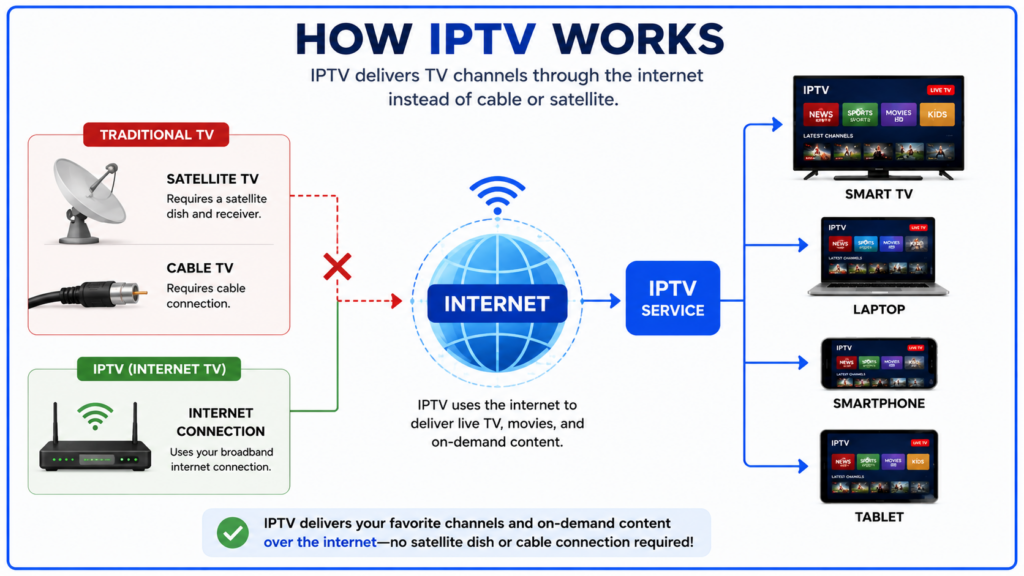
IPTV (Internet Protocol Television) is a television service that delivers content through an internet connection instead of traditional cable or satellite networks.
Rather than receiving TV channels through a dish or coaxial cable, IPTV streams video directly to devices such as:
- Smart TVs
- Android TV boxes
- Amazon Fire TV Stick
- Smartphones
- Tablets
- Computers
- Streaming devices
Because IPTV relies entirely on internet connectivity, your connection quality directly affects your viewing experience.
Why Internet Speed Matters for IPTV
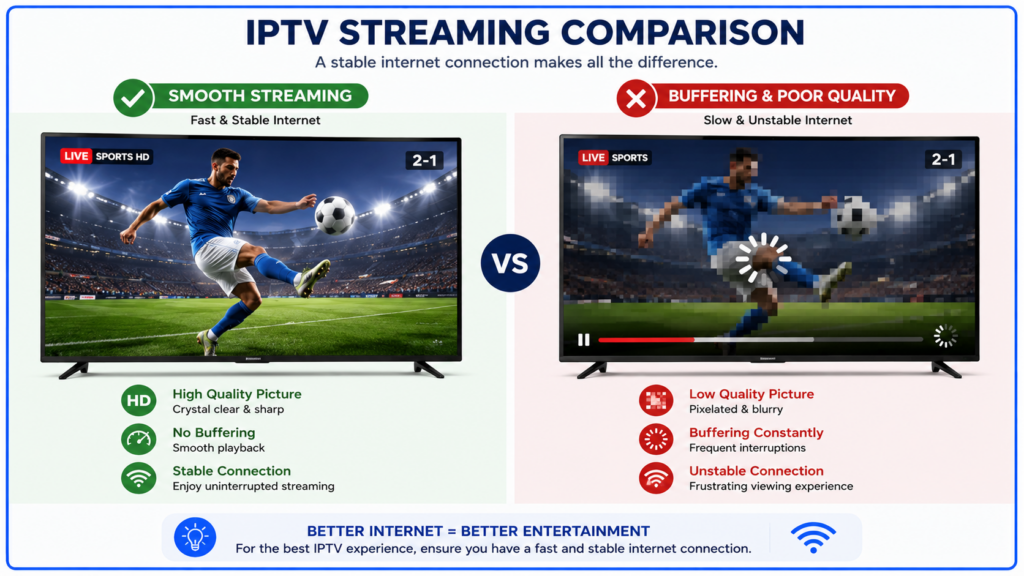
Unlike browsing websites or sending emails, IPTV continuously downloads video data while you're watching.
If your internet cannot deliver data quickly enough, you'll likely experience:
- Buffering
- Frozen screens
- Pixelated images
- Audio delays
- Interrupted playback
- Reduced video quality
A faster and more stable internet connection ensures your IPTV player receives enough data to play videos without interruption.
Recommended Internet Speed for IPTV
The required internet speed depends largely on the video quality you want to watch.
| Video Quality | Recommended Speed |
| SD (480p) | 3–5 Mbps |
| HD (720p) | 5–10 Mbps |
| Full HD (1080p) | 10–20 Mbps |
| 4K Ultra HD | 25–50 Mbps |
| 8K Streaming | 80–100 Mbps or higher |
These recommendations apply to a single IPTV stream.
Internet Speed for Multiple Devices
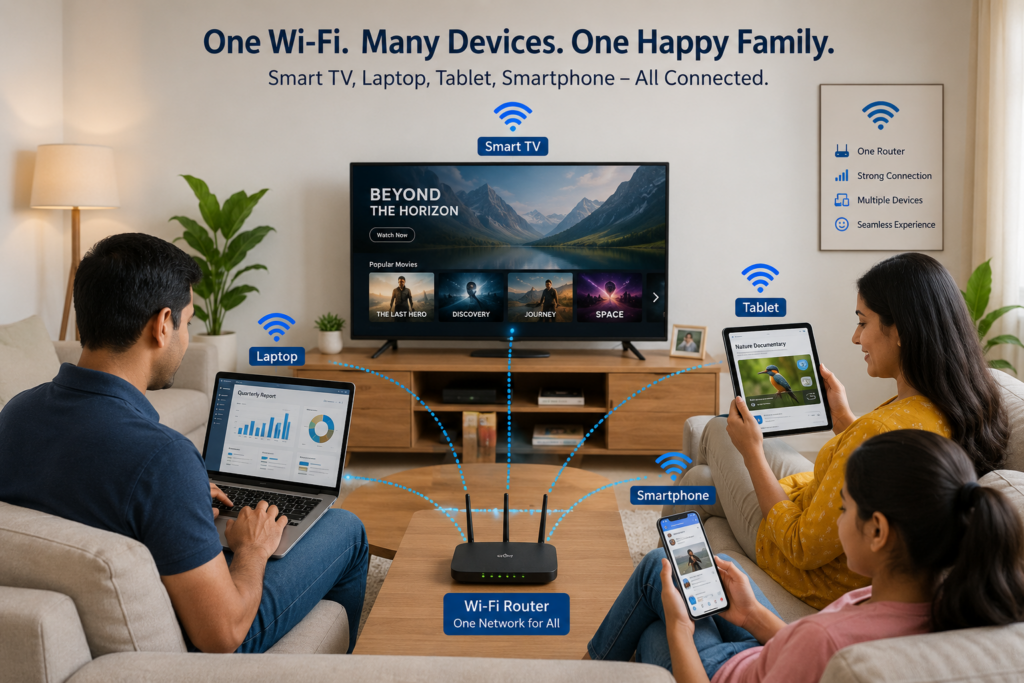
If multiple people in your home stream content simultaneously, your required speed increases.
Example:
- One person watching IPTV in Full HD → 15 Mbps
- Another person watching Netflix in 4K → 25 Mbps
- Someone playing online games → 10 Mbps
- Smartphones and laptops using Wi-Fi → 20 Mbps
Total recommended speed:
Around 70 Mbps or more
For families, internet plans between 100 Mbps and 300 Mbps usually provide an excellent experience.
Download Speed vs Upload Speed
Many internet providers advertise high speeds, but only one measurement is critical for IPTV.
Download Speed
Download speed is how quickly your device receives data from the internet.
Since IPTV downloads video continuously, download speed is the most important factor.
Upload Speed
Upload speed affects activities like:
- Video calls
- Uploading files
- Live streaming
- Cloud backups
For IPTV, upload speed has very little impact.
Is Speed the Only Thing That Matters?
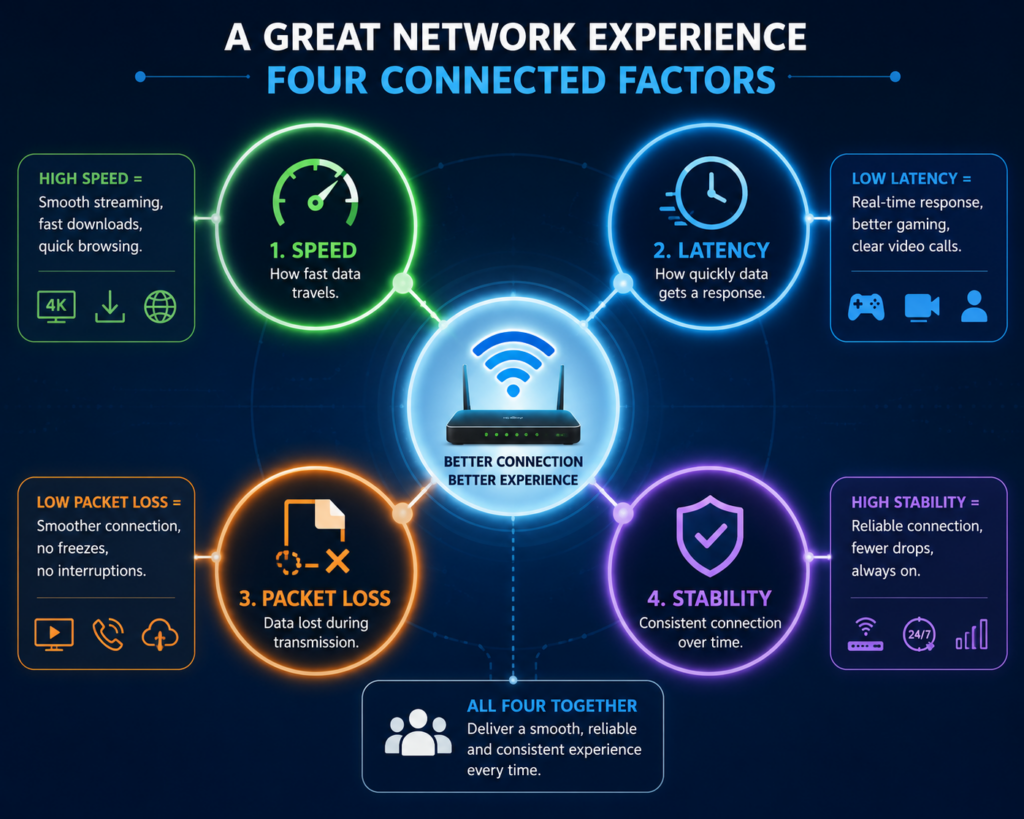
Not at all.
A connection with extremely high speed can still perform poorly if it's unstable.
Several other factors influence IPTV performance.
1. Internet Stability
A steady connection is often more important than raw speed.
For example:
- Stable 30 Mbps connection → Excellent IPTV
- Unstable 200 Mbps connection → Frequent buffering
Consistency is key.
2. Latency (Ping)
Latency measures how quickly data travels between your device and the IPTV server.
Lower latency means:
- Faster channel switching
- Less buffering
- Better live streaming
Generally:
- Under 20 ms → Excellent
- 20–50 ms → Very good
- Above 100 ms → Noticeable delays
3. Packet Loss
Packet loss occurs when pieces of video data fail to reach your device.
Symptoms include:
- Frozen images
- Pixelation
- Audio skipping
- Random buffering
Even fast internet connections can experience packet loss.
4. Wi-Fi Signal Strength
Weak Wi-Fi is one of the biggest causes of IPTV issues.
Problems include:
- Thick walls
- Long distance from the router
- Network interference
- Older routers
Whenever possible, connect your IPTV device using an Ethernet cable.
Wired vs Wireless Connection
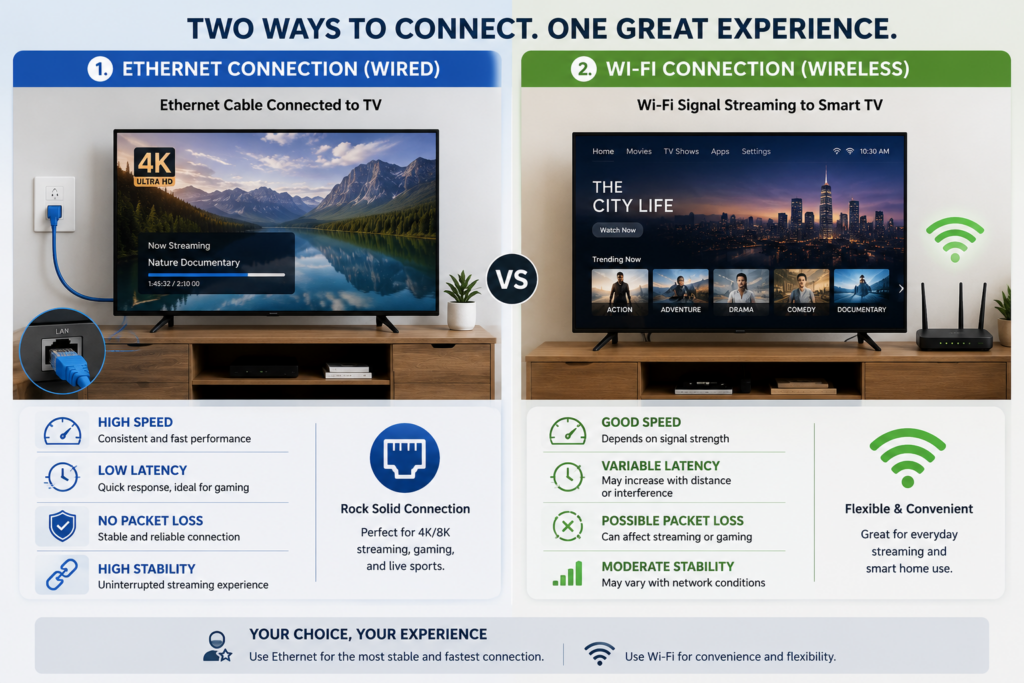
Ethernet (Recommended)
Advantages:
- Faster speeds
- Lower latency
- Stable connection
- Less buffering
- Better for 4K IPTV
Ideal for:
- Smart TVs
- Android TV Boxes
- IPTV receivers
Wi-Fi
Wi-Fi offers convenience but may suffer from:
- Signal drops
- Congestion
- Interference
- Slower speeds
If you must use Wi-Fi:
- Use 5 GHz instead of 2.4 GHz
- Stay close to the router
- Upgrade to Wi-Fi 6 if available
How Much Data Does IPTV Use?
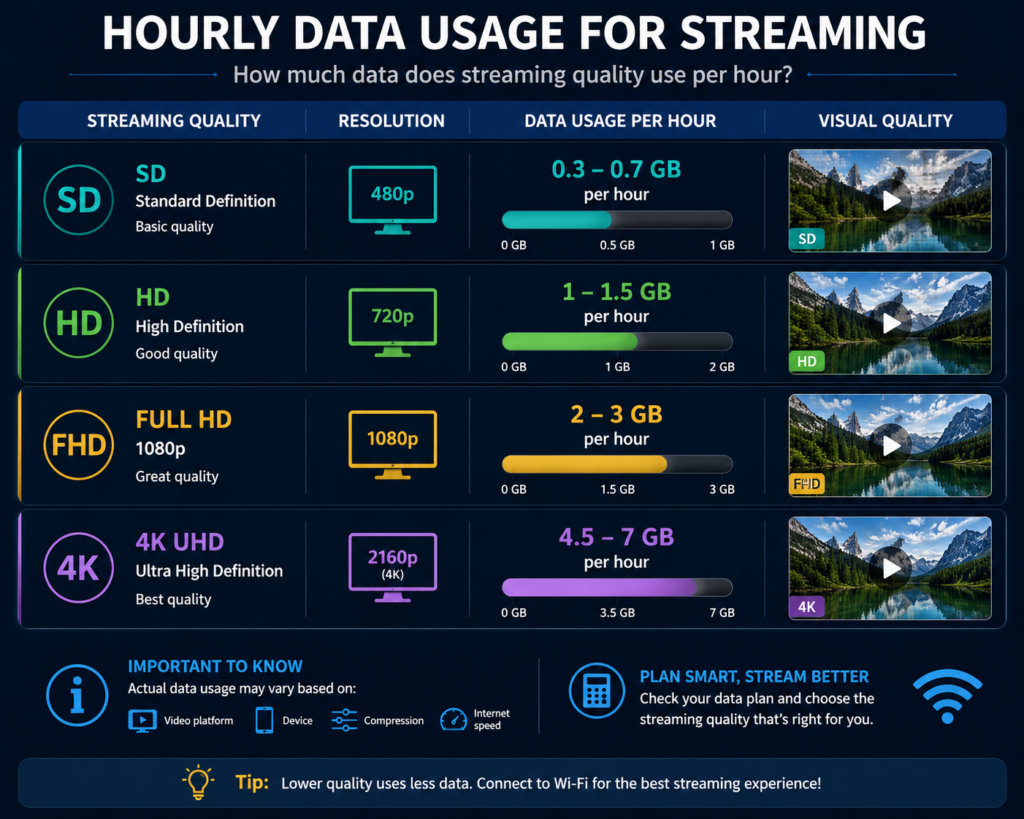
Internet speed and data usage are different.
Typical hourly data consumption:
| Quality | Data Usage per Hour |
| SD | 0.7–1 GB |
| HD | 2–3 GB |
| Full HD | 3–5 GB |
| 4K | 7–10 GB |
Heavy IPTV users should consider an unlimited internet plan to avoid data caps.
How to Test Your Internet Speed
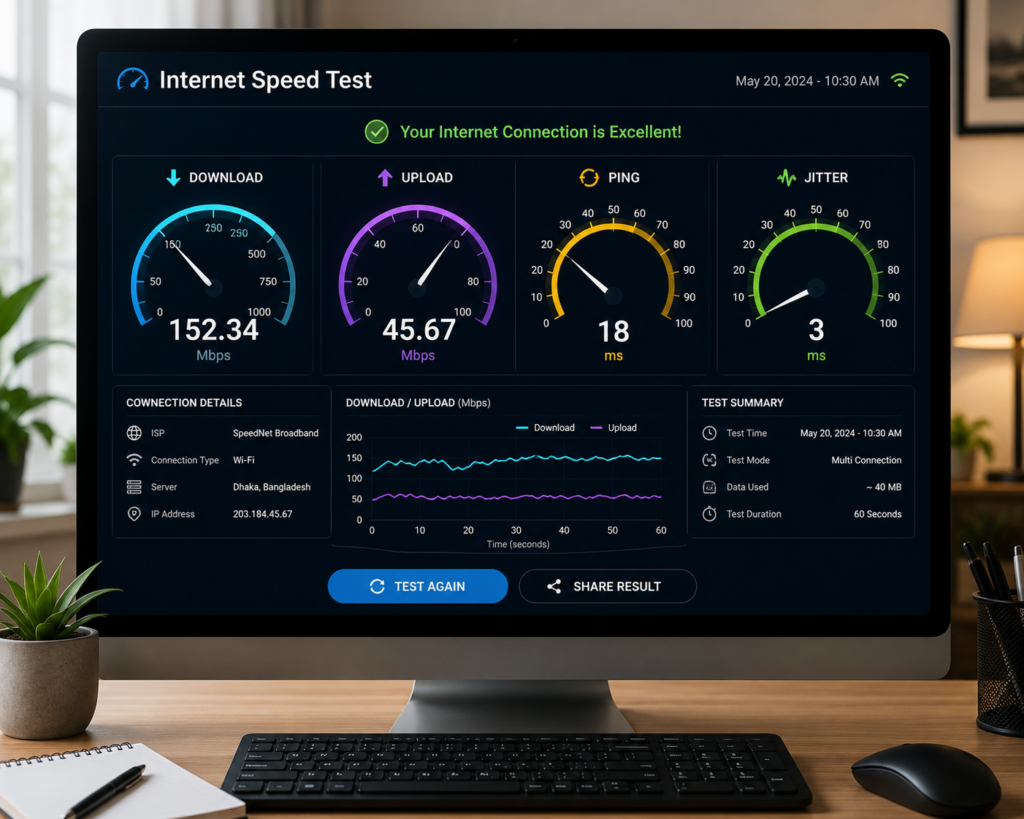
Before blaming your IPTV provider, test your internet connection.
Measure:
- Download speed
- Upload speed
- Ping (Latency)
- Jitter
Run multiple tests at different times of day to identify peak-hour slowdowns.
Common IPTV Speed Problems
Frequent Buffering
Possible causes:
- Slow internet
- Weak Wi-Fi
- ISP congestion
- IPTV server overload
Pixelated Video
Usually caused by:
- Packet loss
- Network instability
- Temporary speed drops
Channels Take Too Long to Load
Possible reasons:
- High latency
- Slow DNS
- Overloaded IPTV servers
IPTV Works During the Day but Not at Night
This often indicates:
- Network congestion
- ISP throttling
- Peak-hour internet usage
Tips to Improve IPTV Streaming
Improve your IPTV experience by following these best practices:
- Use a wired Ethernet connection whenever possible.
- Upgrade to a faster internet plan if your current speed is insufficient.
- Place your router in a central location to improve Wi-Fi coverage.
- Restart your router periodically to maintain optimal performance.
- Limit downloads and large file transfers while streaming IPTV.
- Keep your IPTV app and streaming device updated.
- Choose a reliable IPTV provider with well-maintained servers.
- Use a modern router that supports dual-band or Wi-Fi 6 technology.
Do You Need Gigabit Internet for IPTV?
Not necessarily.
Even 4K IPTV rarely requires more than 25–50 Mbps for a single stream.
A gigabit (1,000 Mbps) internet connection is beneficial if:
- Many users stream simultaneously.
- You frequently download large files.
- You work from home.
- You have dozens of connected smart devices.
For most households, 100–300 Mbps is more than sufficient for IPTV.
Frequently Asked Questions
Is 25 Mbps enough for IPTV?
Yes. A 25 Mbps connection can comfortably stream one 4K channel or multiple HD channels, provided the connection is stable.
Can slow Wi-Fi cause buffering?
Absolutely. Even if your internet plan is fast, poor Wi-Fi coverage or interference can cause buffering and playback issues.
How much speed do I need for Full HD IPTV?
A stable connection of 10–20 Mbps is generally recommended for smooth 1080p streaming.
Is 100 Mbps good for IPTV?
Yes. A 100 Mbps plan is suitable for most households, allowing several devices to stream IPTV and other online content simultaneously.
Why does IPTV buffer even with fast internet?
Buffering can result from weak Wi-Fi, high latency, packet loss, ISP congestion, overloaded IPTV servers, or issues with your streaming device—not just internet speed.
Final Thoughts
Internet speed is one of the most important factors in achieving a smooth IPTV experience, but it's not the only one. A reliable connection with low latency, minimal packet loss, and strong Wi-Fi or a wired Ethernet connection often delivers better results than simply having the highest advertised speed.
For most users, a 100 Mbps broadband plan paired with a quality router provides an excellent balance of performance and value. If you regularly stream in 4K, have multiple users online at the same time, or use many connected devices, consider upgrading to a 200–300 Mbps plan for additional headroom.
By understanding your streaming needs and optimizing your home network, you can enjoy IPTV with fewer interruptions, sharper picture quality, and a more reliable viewing experience.